
The Dell PowerConnect W-AP93H is a dual-band single-radio wireless access point that meets the IEEE 802.11n standard for high-performance WLANs. This access point provides 802.11n functionality at either 2.4 GHz or 5 GHz, as well as concurrent support for existing wireless services on the 802.11 a/b/g standards, uses Multiple In, Multiple Out (MIMO) technology, and other high-performance transmission techniques. The W-AP93H access point works only in conjunction with a Dell PowerConnect W-Series Controller.
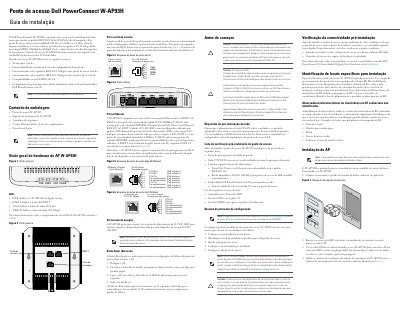
The Dell PowerConnect W-AP93H is a dual-band single-radio wireless access point that meets the IEEE 802.11n WLAN standard and offers 802.11n operation at 2.4 GHz or 5 GHz, with support for existing 802.11a/b/g services and MIMO technology. It operates only with a Dell PowerConnect W-Series Controller and supports PoE IEEE 802.3af.
The guide covers hardware overview, package contents, pre-installation network requirements, connectivity verification, installation location selection, mounting, reset procedure, and regulatory notices. The access point has five active Ethernet ports, a console serial port, and a 12 V DC power socket. This manual is written in Portuguese.
| Wireless standards | IEEE 802.11a/b/g/n |
|---|---|
| Frequency band | 2.4 GHz or 5 GHz |
| MIMO | MIMO technology |
| Ethernet ports | 5 total: ENET 0 10/100/1000Base-T; ENET 1-4 10/100Base-T |
| DC power input | 12 V DC |
| Required software | ArubaOS 6.1.3 or later |
It works only with a Dell PowerConnect W-Series Controller.
Power off the AP, press Reset with a narrow object, power on while holding Reset, then release after the power LED flashes.
PoE IEEE 802.3af or a 12 V DC adapter; if both are available, it uses PoE.
It has five active Ethernet ports, ENET 0 through ENET 4.