
Dell Display Manager is a Microsoft Windows application used to manage one or more monitors. It allows manual adjustment of the displayed image, assignment of automatic settings, power management, window organization, image rotation and other functions on select Dell monitors.
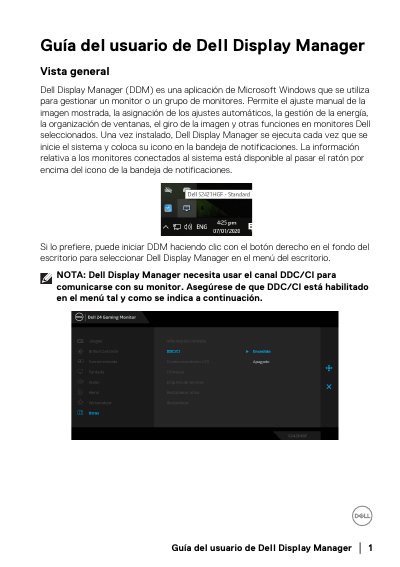
Dell Display Manager (DDM) is a Microsoft Windows application used to manage one monitor or a group of monitors. It allows manual adjustment of the displayed image, assignment of automatic settings, power management, window organization, image rotation and other functions on selected Dell monitors. Once installed, DDM runs every time the system starts and places its icon in the notification tray. The guide notes that DDM needs the DDC/CI channel to communicate with the monitor, so DDC/CI must be enabled in the monitor menu.
The document explains how to use the Quick Settings dialog to adjust brightness, contrast, resolution and window layout, how to select a target monitor in multi-monitor setups, and how to access the advanced user interface. It also covers assigning preset modes to applications with Auto Mode, organizing windows with Easy Arrange, managing video inputs with the Input Manager tab, restoring application window positions after reconnecting a PC, attaching DDM to active windows in Windows 10, and configuring PowerNap energy conservation options and shortcut keys. This manual is written in Spanish.
| Communication channel | DDC/CI (must be enabled in the monitor menu) |
|---|---|
| Hotkey to open DDM UI | Ctrl+Shift+D |
| Custom Easy Arrange layouts | 5 named custom patterns can be saved |
| Recent layouts hotkey | Ctrl+Shift+Home cycles the 5 most used layouts |
DDM needs the DDC/CI channel, so DDC/CI must be enabled in the monitor menu.
Yes. The Auto Mode tab lets you associate a preset mode with an application, and DDM switches to it whenever that application is activated.
No. Preset Mode assignments for batch files, scripts, loaders and non-executable files such as zip or compressed archives are not supported.
No. Applications must remain active to benefit from this feature; DDM does not start applications.