
Dell Tablet Quick Start Guide.
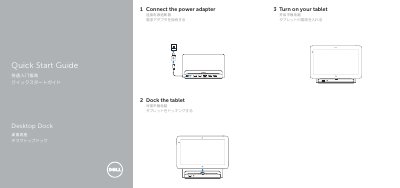
This quick start guide from Dell covers the K10A tablet and its desktop dock. It walks through three setup steps: connecting the power adapter, turning on the tablet, and docking the tablet on the desktop dock.
The guide also identifies the dock's features, including USB 3.0, audio, network, HDMI, and DisplayPort connectors, a docking connector, a power connector, and a power status light. It lists Dell support, manual, regulatory compliance, and contact pages at dell.com, and includes Mexican NOM electrical ratings for the device.
| Input voltage | 100 V AC – 240 V AC |
|---|---|
| Maximum input current | 1.30 A |
| Input frequency | 50 Hz – 60 Hz |
| Output current | 2.31 A |
| Output voltage | 19.5 V DC |
| Regulatory model and type | K10A K10A001 |
The dock has USB 3.0 connectors, an audio connector, a docking connector, a power connector, a network connector, an HDMI connector, and a DisplayPort connector, plus a power status light.
Input is 100–240 V AC at up to 1.30 A, 50–60 Hz; output is 19.5 V DC at 2.31 A, as listed for Mexican NOM requirements.