
This document describes the features and specifications of the Dell Inspiron 6400 laptop.
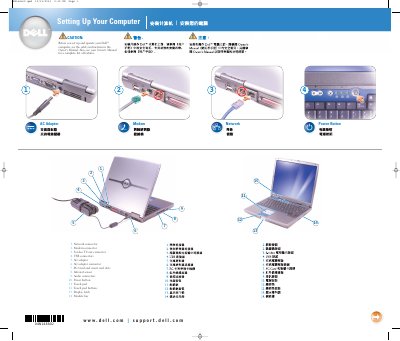
This is Dell's short "Setting Up Your Computer" guide for the Inspiron 6400 laptop, printed in October 2003 (document 4N148). The first page labels the computer's connectors and controls, including the network and modem connectors, S-video TV-out connector, USB connectors, AC adapter connector, PC Card and smart card slots, infrared sensor, audio connectors, power button, touch pad, display latch, and module bay.
The second page gives brief instructions for finding answers in the Owner's Manual and the Dell Tell Me How help file, removing a battery from the battery bay, and connecting to a wireless network in Microsoft Windows. It directs users to the Owner's Manual for safety instructions and a complete list of features.
Slide and lift the latch release on the bottom of the computer to remove the battery.
Click the Start button and click Help and Support, click User and system guides, then click User's guides and click Tell Me How.
Set up your wireless router, right-click the wireless network connections icon in the system tray, click View Available Wireless Networks, select the network, and click Connect.
The safety instructions are in the Owner's Manual, which also contains a complete list of features.