
Quick Start Guide for Dell Inspiron 14 5000 Series.
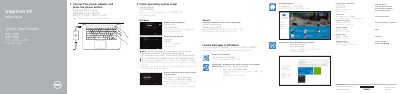
This is the Dell Quick Start Guide for the Inspiron 14 5000 Series laptop, computer model Inspiron 14-5459 (regulatory model P64G, regulatory type P64G004), dated 2015-06. The text is printed in English, Chinese, Japanese and Korean.
Page 1 walks through the first steps: connect the power adapter and press the power button, finish operating system setup for Windows or Ubuntu, connect to your network, and sign in to a Microsoft account or create a local account. It also lists where to locate Dell apps in Windows (SupportAssist, Register your computer, Dell Backup and Recovery, Dell Help & Support) and gives Dell support, contact and regulatory web addresses. Page 2 shows the computer features with numbered callouts and describes the shortcut keys.
| USB 3.0 ports | 1 |
|---|---|
| USB 2.0 ports | 2 |
| Video port | HDMI port |
| Optical drive | Included |
| Media card reader | Included |
Connect the power adapter and press the power button, then finish the operating system setup on screen.
Enter the password for the wireless network access when prompted.
Dell refers you to the Specifications page at Dell.com/support.
The guide explains how to locate Dell apps in Windows, such as SupportAssist and Dell Help & Support.