
Dell Precision Mobile Workstation 5000 Series Quick Start Guide

The Dell Precision Mobile Workstation 5000 Series Quick Start Guide describes how to connect the power adapter, complete the operating system setup, set a password for Windows, and connect to a network.
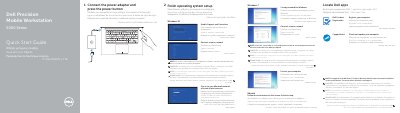

Dell Precision Mobile Workstation 5000 Series Quick Start Guide - cover page
Brand
DELL
Category
Desktops
Document type
Quick Start Guide
Language
English
Pages
2
File format
PDF
File size
659 KB
Published
25 November, 2023
Updated
25 November, 2023
MD5 checksum
998ADC249BA3E4E98B8BC9BC248D39D7

About this manual

This guide helps you quickly set up your Dell Precision 5510 mobile workstation. Start by connecting the power adapter and pressing the power button. Follow on-screen instructions to complete operating system setup, including setting a Windows password and connecting to your network. The guide also details hardware features like USB 3.0 ports, Thunderbolt™ 3, HDMI, and camera status indicators.

What's inside

  • Connect the power adapter and press the power button
  • Finish operating system setup
  • Set up password for Windows
  • Connect to your network
  • Protect your computer
  • Locate Dell apps
  • Register your computer
  • Features

Frequently asked questions

What is the Dell Precision 5510?

It is a Dell Precision Mobile Workstation.

What operating systems are supported for setup?

The guide covers setup for Windows 10, Windows 7, Ubuntu, and Linux.

What happens when upgrading from Windows 7 32-bit to Windows 10?

You must manually install the system drivers.

Download PDF (659 KB)

More DELL Manuals


View all DELL manuals →