
The Dell PowerConnect W-AP68 Access Point is a high-performance wireless access point that supports the IEEE 802.11n standard. It features: - A wireless transceiver - Protocol-independent networking capabilities - Operation as a wireless access point using IEEE 802.11b/g/n - Operation as a wireless monitor using IEEE 802.11b/g/n - Compatibility with IEEE 802.3af PoE - Centralized management, configuration, and upgrades via a Dell controller
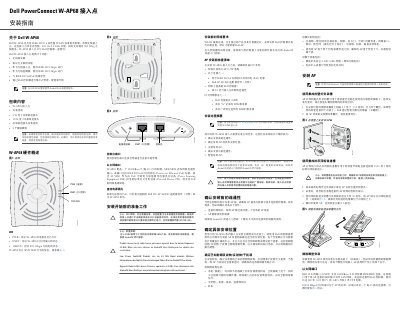
The Dell PowerConnect W-AP68 is a single-radio, single-band wireless access point that supports the IEEE 802.11n WLAN standard and 2.4 GHz operation. The guide states that the access point is used only with Dell controllers and requires ArubaOS 6.0 or later.
This installation guide covers package contents, the hardware overview and LED indicators, pre-installation checks, the installation process, wall and ceiling tile rail mounting, rubber foot installation, and the Ethernet port. It also describes powering the AP through IEEE 802.3af PoE or the optional Dell 12V AP AC-DC adapter kit. This manual is written in Chinese.
| Wireless standard | IEEE 802.11n; single-radio, single-band |
|---|---|
| Frequency band | 2.4 GHz |
| Controller software requirement | ArubaOS 6.0 or later |
| Ethernet port | 10/100Base-T (RJ-45) auto-sensing MDI/MDX |
| Power over Ethernet | IEEE 802.3af PoE |
| Optional power adapter | Dell 12V AP AC-DC adapter kit, sold separately |
| Console port | Direct local management |
| Cable requirement | 4- or 8-wire Category 5 UTP cable, up to 100 m (325 ft) |
The guide states that the W-AP68 access point is used only with Dell controllers.
It requires ArubaOS 6.0 or later.
It can be powered through IEEE 802.3af PoE or the optional Dell 12V AP AC-DC adapter kit, which is sold separately.
It has a 10/100Base-T (RJ-45) auto-sensing MDI/MDX Ethernet port.