
Inspiron 15-3558 Laptop Quick Start Guide
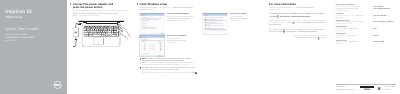
This Quick Start Guide from Dell covers the initial setup of the Inspiron 15-3558 computer (regulatory model P47F). It explains how to connect the power adapter and press the power button, finish Windows setup, set up a Windows password, and connect to a network, noting that a password must be entered when connecting to a secured wireless network.
The guide also identifies the computer's features, including the microphone, camera, power-adapter port, network port, HDMI port, USB 3.0 port, media-card reader, headset port, two USB 2.0 ports, battery and Service Tag label, and lists shortcut keys for functions such as muting audio, adjusting volume and brightness, switching to an external display, toggling the Fn-key lock and turning wireless on or off. It is printed in English, Spanish, Vietnamese and Arabic, and directs users to dell.com/support for product support, manuals and specifications.
| Ports | HDMI port, USB 3.0 port, 2 USB 2.0 ports, network port, headset port |
|---|---|
| Media-card reader | Built-in media-card reader |
| Battery | Removable battery with release latch |
If you are connecting to a secured wireless network, enter the password for wireless network access when prompted.
Click Start → All Programs → Dell Help Documentation, or see Specifications at dell.com/support.
Use the shortcut key listed in the guide for turning wireless off/on.
The Service Tag label is item 19 in the features diagram; the regulatory label is located in the battery bay.