
Dell Vostro 15 7580 Quick Start Guide

Dell Vostro 15 7580 Quick Start Guide
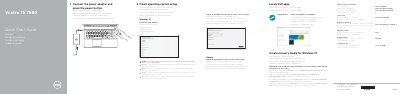

Dell Vostro 15 7580 Quick Start Guide - cover page
Brand
DELL
Category
Laptops
Document type
Quick Start Guide
Language
English
Pages
2
File format
PDF
File size
267 KB
Published
25 November, 2023
Updated
25 November, 2023
MD5 checksum
26717A3959F8A27E43440EE87DBFAEB5

About this manual

This document serves as a multilingual Quick Start Guide for the Dell Vostro 15 7580 laptop. It provides essential instructions for connecting the power adapter, completing the Windows 10 operating system setup, and creating recovery media. The guide is available in multiple languages including English, Finnish, Norwegian, Spanish, and Swedish.

What's inside

  • Connect the power adapter
  • Finish operating system setup
  • Connect to your network
  • Sign in to your Microsoft account
  • Locate Dell apps
  • Features
  • Shortcut keys

Frequently asked questions

How do you turn on the computer?

Connect the power adapter and press the power button.

What must you do before connecting a Dell docking station?

Download the Dell Power Manager (DPM 3.0) from Dell.com/support before connecting a Dell docking station.

How do you create recovery media for Windows 10?

In Windows search, type Recovery, click Create a recovery media, and follow the instructions on the screen.

What account options are available during setup?

Sign in to your Microsoft account or create a local account.

Download PDF (267 KB)

More DELL Manuals


View all DELL manuals →