
The Dell XPS 8700 Series Quick Start Guide provides information on connecting, setting up, and securing your computer.
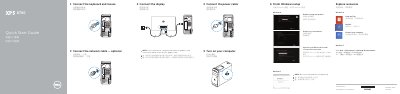
This guide helps you set up your Dell XPS 8700 computer. Connect peripherals like keyboard, mouse, and display. Complete Windows setup and enable security updates. It also lists front panel ports and features including USB, HDMI, audio, and expansion slots.
For support, visit dell.com/support. The guide includes regulatory model D14M and features like media card reader, optical drive, and multiple USB ports. This manual is written in Chinese.
| Computer model | XPS 8700 |
|---|---|
| Regulatory model | D14M |
| USB 3.0 ports | 2 |
| HDMI port | 1 |
| DisplayPort | 1 |
| Audio ports | 6 |
| Expansion-card slots | 4 |
Connect the display to the discrete graphics card if your computer has one, or to the integrated graphics port.
Do not use the @ symbol in your password.
Visit dell.com/support for product support and manuals.