
The Dell Vostro 15 7580 Quick Start Guide provides information on how to use the laptop.
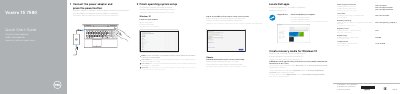
This Quick Start Guide for the Dell Vostro 15 7580 computer explains how to connect the power adapter, press the power button, and finish the Windows 10 operating system setup. It also describes connecting to a network, signing in to a Microsoft account or creating a local account, and locating Dell apps such as SupportAssist.
The document lists computer features including the camera, ports, card reader, touchpad, and service tag label, and provides shortcut keys for audio, volume, display, and wireless functions. Regulatory model P71F and regulatory type P71F002 are identified, with support available at Dell.com/support.
| Model | Vostro 15 7580 |
|---|---|
| Operating system | Windows 10 |
| USB Type-C port | with Thunderbolt 3 |
| USB port | 3.1 Gen 1 |
| Card reader | SD |
| Lock slot | Noble Wedge |
Connect the power adapter and press the power button.
Type Recovery in Windows search, click Create a recovery media, and follow the instructions on the screen.
Download Dell Power Manager (DPM 3.0) from Dell.com/support.