
Dell Wireless Docking Station WLD15 Quick Start Guide, introduces the features and specifications of the product.
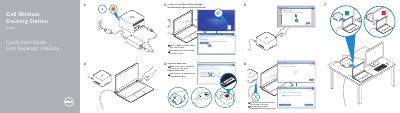
This Quick Start Guide covers the Dell WLD15 Wireless Docking Station. It explains how to launch Intel Wireless Dock Manager, select the dock name from the bottom of the dock, and connect until the LED turns white.
The document lists the dock's connectors and controls, including network, line-out, power, display, keyboard/mouse, USB 3.0, headset, and USB 3.0 with PowerShare ports, plus the power-status light, pairing button, and security-cable slot. Further support is available at dell.com/support.
| Regulatory model | WLD15 |
|---|---|
| Connection LED | Turns white when successfully connected |
| Dock name location | Bottom of the dock |
Launch Intel Wireless Dock Manager, select the dock name, and wait for successful connection.
The dock name is available at the bottom of the dock.
The LED turns white when successfully connected.