
Dell Vostro 15 7570 Laptop Quick Start Guide.
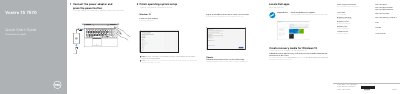
This quick start guide covers initial setup of the Dell Vostro 15 7570 laptop, including connecting the power adapter, finishing Windows 10 or Ubuntu setup, and locating Dell apps. It also identifies external features and shortcut keys and points to product support, manuals, and regulatory information.
The guide lists ports and components such as USB Type-C with Thunderbolt 3, USB 3.1 Gen 1, HDMI, VGA, an SD card reader, and a network connector. It also includes notes about creating Windows 10 recovery media and downloading Dell Power Manager before connecting a Dell docking station.
| USB Type-C port | with Thunderbolt 3 |
|---|---|
| USB 3.1 Gen 1 port | USB 3.1 Gen 1 |
| HDMI port | HDMI |
| VGA port | VGA |
| SD card reader | SD card reader |
| Network connector | Network connector |
| Power connector | Power connector |
| Nobel Wedge lock slot | Nobel Wedge lock slot |
| Regulatory model | P71F |
See the Owner's Manual at Dell.com/support/manuals.
Download Dell Power Manager (DPM 3.0) from Dell.com/support.
In Windows search, type Recovery, click Create a recovery media, and follow the instructions on the screen.
Follow the instructions on the screen to finish setup.