
The Dell Display Manager is a Microsoft Windows application used to manage a monitor or a group of monitors.
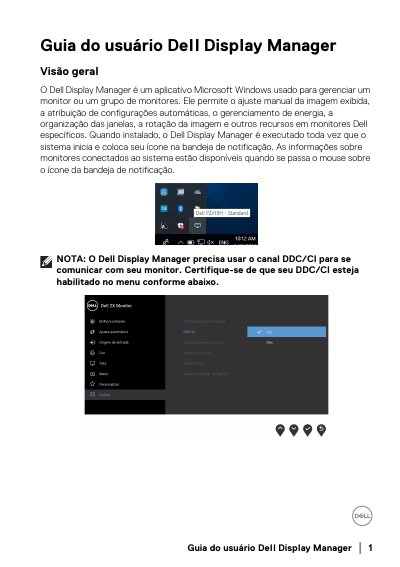
Dell Display Manager (DDM) is a Microsoft Windows application used to manage one monitor or a group of Dell monitors. It allows manual adjustment of the displayed image, assignment of automatic settings, power management, window organization, image rotation and other features on specific Dell monitors. It runs at system startup and places an icon in the notification tray; DDM requires the DDC/CI channel to communicate with the monitor.
The guide explains the Quick Settings dialog, basic display functions, Auto Mode preset assignments for applications, Easy Arrange window organization (P2419H/P2719H only), Input Manager for multiple video inputs, restoration of application positions, PowerNap power-saving options and troubleshooting. It notes that DDM works only with Dell-brand monitors and lists monitor types that may not work, including Dell monitors before 2013 and the Dell D series, G-sync gaming monitors, virtual and wireless displays, and some earlier DP 1.2 models where MST/DP 1.2 may need to be disabled. This manual is written in Portuguese.
| Supported operating system | Microsoft Windows |
|---|---|
| Communication channel | DDC/CI |
| Easy Arrange supported monitors | P2419H/P2719H |
| Supported monitor brand | Dell |
It is a Microsoft Windows application used to manage one monitor or a group of Dell monitors, with manual image adjustment, automatic settings, power management and other features.
No. DDM works only with Dell-brand monitors; monitors from other manufacturers are not supported.
DDC/CI must be enabled in the monitor menu, because DDM needs the DDC/CI channel to communicate with the monitor.
The guide lists Easy Arrange as available only on P2419H/P2719H monitors.