
Dell Latitude 3590 Laptop Quick Start Guide
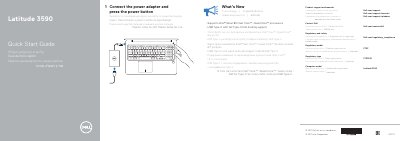
The Dell Latitude 3590 Quick Start Guide explains how to connect the power adapter and press the power button to start the laptop. It also lists Dell support and manuals links, regulatory and safety information, and the regulatory and computer model identifiers.
The guide describes what's new for the Latitude 3590, including support for Intel 8th Gen Core i Quad Core processors and USB Type-C with full Dell Type-C docking support. A numbered features list identifies the camera, microphones, power button, security cable slot, VGA, USB, SD card, network, HDMI, DisplayPort, audio, and other ports and indicators.
| Regulatory model | P75F |
|---|---|
| Regulatory type | P75F001 |
| Computer model | Latitude 3590 |
| Processor support | Intel 8th Gen Core i Quad Core processors |
| USB Type-C docking support | Full Type-C Dell docking support |
| USB ports | USB 2.0 port; USB 3.1 Gen 1 port with PowerShare; USB 3.1 Gen 1 (Type-C) port/DisplayPort |
| Video ports | VGA port; HDMI port; DisplayPort |
| Card slots | Micro-SIM card slot (optional); SD card slot |
| Fingerprint reader | Optional |
| Infrared camera and emitter | Optional |
Connect the power adapter and press the power button.
Support and manuals are available at Dell.com/support and Dell.com/support/manuals.
It supports Intel latest 8th Gen Core i Quad Core processors.
Yes, it supports USB Type-C with full Type-C Dell docking support.