
The Dell Vostro 15 3000 Series Quick Start Guide provides information on how to set up and use your Dell Vostro 15 3000 Series laptop.
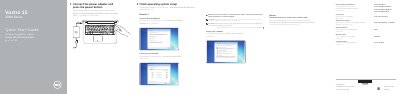
This guide covers initial setup for the Dell Vostro 15 3000 Series laptop, model Vostro 15-3565. It describes connecting the power adapter, pressing the power button, and completing operating system setup for Ubuntu or Windows 7, including setting a Windows password and connecting to a network.
The guide also lists product support resources, regulatory and safety information, the computer features and their locations, and the available shortcut keys. It directs users to the Owner's Manual at Dell.com/support/manuals for more information.
| Regulatory model | P47F |
|---|---|
| Regulatory type | P47F006 |
| Computer model | Vostro 15-3565 |
| USB connector | USB 2.0 |
| USB connector | USB 3.0 |
| Display connector | VGA |
| Operating systems covered | Ubuntu, Windows 7 |
Connect the power adapter and press the power button.
For Ubuntu, follow the instructions on the screen to finish setup. For Windows 7, set a password for Windows and connect to your network.
Enter the password for wireless network access when prompted.
See the Owner's Manual at Dell.com/support/manuals.