
The Dell Instant PowerConnect W-IAP108 and W-IAP109 Access Points are dual-band dual-radio remote access points that meet the IEEE 802.11n standard for high-performance WLANs.
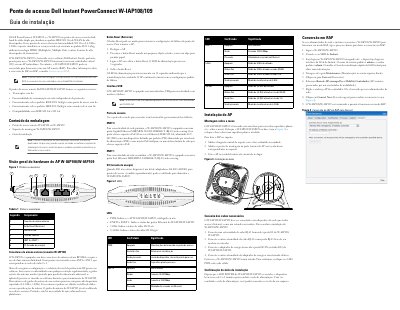
This Portuguese installation guide covers the Dell Instant PowerConnect W-IAP108 and W-IAP109, dual-radio dual-band remote access points that operate under the IEEE 802.11a/b/g/n WLAN standards at 2.4 GHz and 5 GHz. The guide lists the package contents and walks through the hardware: external RP-SMA antenna connectors (W-IAP108 only), the Reset button, the USB interface for cellular modems, the console port, the ENET 0 Gigabit Ethernet port with IEEE 802.3af PoE, the ENET 1 Fast Ethernet port and the DC power socket.
It also describes the LED indicators and their meanings, how to attach the unit to its desk stand, how to connect the network and power cables and how to confirm that start-up succeeded. A final section explains how a network administrator can convert the access point from Instant mode to Remote AP (RAP) mode through the Instant web interface, noting that Instant 3.2 and a controller running ArubaOS 6.2 are required for the conversion. This manual is written in Portuguese.
| WLAN standards | IEEE 802.11a/b/g/n, 2.4 GHz and 5 GHz, dual-radio dual-band |
|---|---|
| ENET 0 port | Gigabit Ethernet 10/100/1000BASE-T (RJ-45), auto-sensing, IEEE 802.3af PoE |
| ENET 1 port | Fast Ethernet 10/100BASE-T (RJ-45), auto-sensing |
| PoE compatibility | IEEE 802.3af and IEEE 802.3at |
| PoE input | 48 V DC as a standards-defined powered device |
| External antenna connectors | Two RP-SMA dual-band antenna connectors (W-IAP108 only) |
| USB interface | For connectivity with cellular modems |
| Included software | Dell Instant; Instant 3.2 required for RAP conversion |
| Console port | Connection to a direct local management terminal |
The package contains the W-IAP108 or W-IAP109 remote access point, the W-IAP108/W-IAP109 mounting bracket and the installation guide.
Power off the AP, press the Reset button with a small narrow object, power it on while holding the button, and release it when the power LED blinks.
The default user name is admin and the default password is admin.
It takes about 2 to 3 minutes after the POWER LED lights up.