
Dell Latitude 14 7000 Series Quick Start Guide
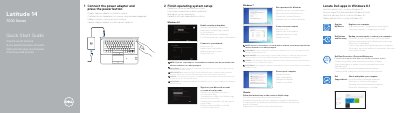
This Dell quick start guide covers the Latitude 14 7000 Series (computer model Latitude 14-7470/E7470). It explains how to connect the power adapter, press the power button, complete operating system setup for Windows 8.1, Windows 7, and Ubuntu, enable security and updates, connect to a network, and sign in to a Microsoft account or create a local account.
The guide also lists product features including network, HDMI, Mini DisplayPort, USB 3.0, power, SIM, memory card, headset, smart card, fingerprint, dock, and security-cable connectors, as well as cameras, microphones, speakers, touchpad, track stick, status lights, and the service-tag label. Dell support contacts and regulatory information are provided at the end.
| Network connector | 1 |
|---|---|
| HDMI connector | 1 |
| USB 3.0 connectors | 2 |
| Power connector | 1 |
| SIM port | optional |
| Smart card reader | optional |
| Fingerprint reader | optional |
| Service-tag label | 1 |
Connect the power adapter and press the power button.
The guide covers setup for Windows 8.1, Windows 7, and Ubuntu.
Visit Dell.com/support, Dell.com/support/manuals, Dell.com/support/windows, or Dell.com/support/linux.