
Quick Start Guide for Dell Laptop.
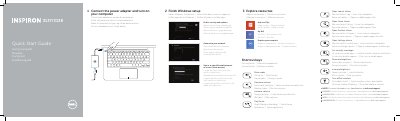
The Dell Inspiron 3137/3138 Quick Start Guide provides multilingual setup steps for connecting the power adapter, turning on the computer, completing Windows setup, and exploring Dell resources. It also lists the computer's ports and features with numbered callouts, along with support, contact, and regulatory information.
The guide identifies the computer model as Inspiron 3137/3138 and the regulatory model as P19T (P19T001/P19T003). It points to dell.com/support/manuals for product support and manuals and includes a shortcut-key list for audio, search charms, brightness, wireless, and recently used apps.
| Computer model | Inspiron 3137/3138 |
|---|---|
| Regulatory model and type | P19T P19T001/P19T003 |
| USB 2.0 port | Listed at callouts 6 and 14 |
| USB 3.0 port | Listed at callout 13 |
| HDMI port | Listed at callout 15 |
| Network port | Listed at callout 5 |
| Media-card reader | Listed at callout 7 |
| Headset port | Listed at callout 12 |
| Digital microphones | 2 |
Connect the power adapter and turn on your computer.
The computer model is Inspiron 3137/3138.
Dell lists product support and manuals at dell.com/support/manuals.
Finish Windows setup by enabling security and updates, signing in to a Microsoft account or creating a local account, and connecting to your network.