
The Dell Precision 3520 3000 Series Quick Start Guide provides information on how to set up and use the Dell Precision 3520 3000 Series laptop.
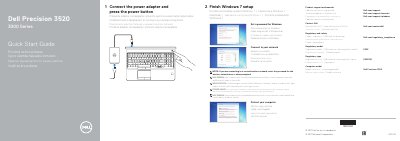
This two-page quick start guide for the Dell Precision 3520 3000 Series computer gives basic first-use instructions in several languages. It covers connecting the power adapter, completing Windows 7 setup, setting a Windows password, connecting to a network, and protecting the computer.
The guide also lists product support and manual links, Dell contact information, regulatory and safety details, and a labeled feature list for the computer's ports, buttons, and optional items.
| Computer model | Dell Precision 3520 |
|---|---|
| HDMI port | Present |
| VGA port | Present |
| USB 3.0 port | Present |
| DisplayPort over Type-C connector | Optional Thunderbolt 3 |
| SD Card reader | Present |
| uSIM card slot | Optional |
| Nobel Wedge lock slot | Present |
| Touch Fingerprint reader | Optional |
Connect the power adapter and press the power button.
The guide covers Windows 7 setup.
The guide points to Dell.com/support, Dell.com/support/manuals, and Dell.com/support/windows.