
The Dell Latitude 3380 Quick Start Guide provides instructions on how to connect the power adapter, finish operating system setup, connect to a network, and install a SIM card.
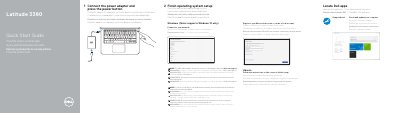
The Dell Latitude 3380 Quick Start Guide gives setup steps for connecting the power adapter and pressing the power button, finishing operating system setup for Windows 10 or Ubuntu, connecting to a network, signing in to a Microsoft account or creating a local account, and locating Dell apps. It also notes that SIM card installation instructions are in the Owner’s Manual at Dell.com/support.
The Features section labels parts including the microphone, camera, camera status light, power button, Noble Wedge lock slot, USB 3.0 ports, battery status light, universal audio jack, speakers, touchpad, microSD card reader, USB 3.0 port with PowerShare, HDMI port, network port, power port connector, and service tag label. The document also lists product support and manuals links, contact information, regulatory and safety links, regulatory model P80G, regulatory type P80G001, computer model Latitude 3380, and states it was printed in China in 2017-01.
| Windows support note | Windows 10 only |
|---|---|
| USB ports | USB 3.0 ports |
| USB port with PowerShare | USB 3.0 port with PowerShare |
| Video port | HDMI port |
| Card reader | microSD card reader |
| Network port | Network port |
| Security slot | Noble Wedge lock slot |
| Regulatory model | P80G |
| Regulatory type | P80G001 |
| Computer model | Latitude 3380 |
Connect the power adapter and press the power button.
The guide includes Windows setup with the note that it supports Windows 10 only, and it also provides Ubuntu setup instructions.
The guide says to see the Owner’s Manual at Dell.com/support.
Enter the password for the wireless network access when prompted.