
This document is a quick start guide for Dell computers, and it introduces how to set up and use a Dell computer.
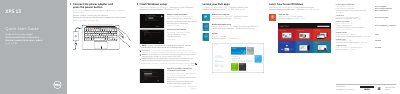
This multilingual Quick Start Guide covers initial setup for the Dell XPS 13 computer, identified as computer model XPS 9343 and regulatory model P54G. It walks through finishing Windows setup, locating Dell apps, connecting the power adapter, registering the computer, enabling security and updates, connecting to a network, and signing in to a Microsoft account.
The guide also lists system features such as the camera, power-adapter port, Mini DisplayPort, USB 3.0 ports, headset port, media-card reader, security-cable slot, and power button. A shortcut-keys section covers audio, volume, playback, external display, search, keyboard backlight, brightness, Fn lock, and wireless functions.
| Port | Power-adapter |
|---|---|
| Light | Camera-status |
| Port | USB 3.0 with PowerShare |
| Slot | Security-cable |
| Button | Power |
Connect the power adapter and press the power button.
Enter the password for the wireless network access when prompted.
Use the Turn off/on wireless shortcut key.