
The Dell Wyse Zero Client Wyse 1010 Quick Start Guide provides information on how to install and use the Dell Wyse Zero Client Wyse 1010.
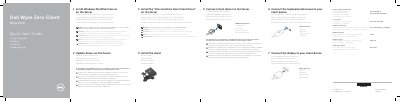
This guide helps you install and configure the Dell Wyse 1010 zero client. It includes steps to mount the stand, connect display and peripherals, and set up the client with Windows MultiPoint Server. The guide also covers driver installation, network and VGA connections, and power management. It notes compatibility requirements for USB and Ethernet clients and provides troubleshooting tips for MultiPoint Manager launch delays.
| Client device model | Wyse 1010 |
|---|---|
| Network port | 10/100/1000 Base-T |
| VGA port | VGA |
| USB ports | 4x USB 2.0 |
| Power adapter | +5V DC |
Connect the display using a VGA cable to the VGA port on the client device.
Go to Start > All Programs and click MultiPoint Manager window.
No, all zero clients must be either USB-connected or Ethernet-connected; mixing is not supported.