
The Dell™ 2400MP Projector is a high-performance, versatile projector that is ideal for a variety of business and education environments. It features: - XGA resolution (1024 x 768) - 3000 lumens of brightness - 10000:1 contrast ratio - 1.6x zoom lens - HDMI, VGA, and composite video inputs - Built-in speaker - Remote control
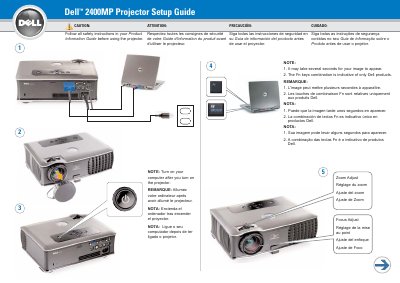
The Dell 2400MP Projector Setup Guide provides essential instructions for initializing the device, including the sequence for powering on the projector and computer.
It includes a detailed layout of the control buttons, covering functions such as power, volume, source selection, and keystone adjustment.
You should turn on your computer after you have turned on the projector.
The computer should be turned on after the projector is turned on.
A USB cable must be connected to use these functions.