
Dell Latitude 15 3000 Series Notebook Quick Start Guide

The Dell Latitude 15 3000 Series Notebook Quick Start Guide provides information on connecting, setting up, and using the notebook.
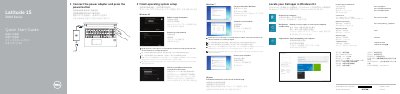

Dell Latitude 15 3000 Series Notebook Quick Start Guide - cover page
Brand
DELL
Category
Laptops
Document type
Quick Start Guide
Language
English
Pages
2
File format
PDF
File size
1.3 MB
Published
25 November, 2023
Updated
25 November, 2023
MD5 checksum
BDCA5E6A57C20E924FA6320DF1DD4FCF

About this manual

This quick start guide helps users connect the power adapter, complete operating system setup, enable security and updates, connect to a network, and sign in to Windows. It also identifies the notebook's external features and points to Dell support, manuals, registration, and recovery resources.

The guide covers Windows 8.1, Windows 7, and Ubuntu setup paths, and includes a feature diagram labeling the camera, ports, touchpad, battery, and other components. Regulatory and safety information and a Taiwan import label with electrical ratings are also included.

What's inside

  • Connect the power adapter and press the power button
  • Finish operating system setup
  • Enable security and updates
  • Connect to your network
  • Sign in to your Microsoft account or create a local account
  • Locate your Dell apps in Windows 8.1
  • Product support and manuals
  • Features
  • Learn how to use Windows 8.1
  • SupportAssist, registration, and Dell Backup and Recovery

Specifications

Rated voltage100-240 V
Rated frequency50/60 Hz
Rated input current1.7 A (65 W) / 2.5 A (90 W)

Frequently asked questions

Where can I find the Owner's Manual?

See the Owner's Manual at dell.com/support/manuals.

How do I finish setup on Windows 7 or Ubuntu?

Follow the instructions on the screen to finish setup.

Where can I get product support and manuals?

Visit dell.com/support and dell.com/support/manuals.

Download PDF (1.3 MB)

More DELL Manuals


View all DELL manuals →