
Dell Inspiron 5558 laptop quick start guide.
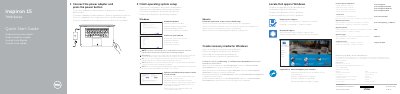
This multilingual Quick Start Guide helps you set up the Dell Inspiron 15-7568 laptop. It covers connecting the power adapter, finishing operating system setup, enabling Dell updates, connecting to a network, and signing in to a Microsoft account.
The guide also diagrams the laptop’s features and ports, lists shortcut keys, and describes Notebook, Tablet, Tent, and Stand modes. It includes regulatory information and pointers to Dell product support and recovery media creation.
| Computer model | Inspiron 15-7568 |
|---|---|
| Input voltage | 100 V CA–240 V CA |
| Frequency | 50 Hz–60 Hz |
| Input current | 1,30 A |
| Output voltage | 19,50 V CC |
Follow the instructions on the screen to finish setup.
Visit Dell.com/support, Dell.com/support/manuals, and Dell.com/support/windows for product support and manuals.
The labeled features include the camera, HDMI port, USB 3.0 ports, headset port, touch pad, power button, volume-control buttons, media-card reader, and Service Tag label.