
Dell Inspiron 3252 Quick Start Guide
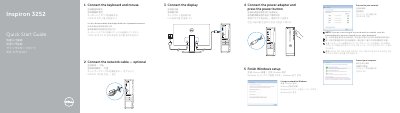
This quick start guide for the Dell Inspiron 3252 shows how to connect the keyboard and mouse, optional network cable, power adapter, and display, then finish Windows setup. It also identifies the computer's external features and ports and points to Dell support, manuals, and contact information.
The guide lists 16 numbered features, including an optical drive, USB 3.0 and USB 2.0 ports, audio ports, VGA and HDMI ports, a media-card reader, and a network port. It notes that more feature and advanced-option information is available through Dell Help Documentation.
| USB 3.0 ports | 2 |
|---|---|
| USB 2.0 ports | 4 |
| Audio ports | 3 |
See the documentation that shipped with the keyboard and mouse.
Click Start → All Programs → Dell Help Documentation.
Visit dell.com/support and dell.com/support/manuals.