
The Dell Inspiron 3252 Quick Start Guide.
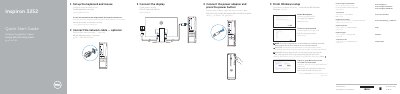
The guide explains how to connect the network cable, display, power adapter, keyboard, and mouse, then finish Windows setup, enable Dell updates, connect to a network, and sign in to a Microsoft account.
A features diagram labels the optical drive, power button, hard-drive activity light, media-card reader, headset port, USB and audio ports, VGA and HDMI ports, power-adapter port, network port, and security-cable slot. It also describes creating recovery media and locating Dell apps.
| USB 3.0 ports | 2 |
|---|---|
| USB 2.0 ports | 4 |
| Audio ports | 3 |
Connect the power adapter and press the power button.
In Windows search, type Recovery, click Create a recovery media, and follow the instructions on the screen.
Visit Dell.com/support or Dell.com/support/manuals.
Sign in to your Microsoft account or create a local account.