
This document describes how to connect the keyboard, mouse, display, power cord, and network cable.
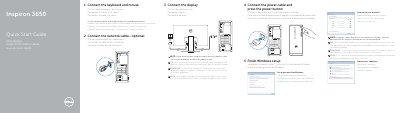
This quick start guide covers initial setup of the Dell Inspiron 3650, including connecting the keyboard, mouse, network cable, power cable, and display, then finishing Windows setup.
It also identifies the computer's external features and ports and provides product support, contact, and regulatory information.
| USB 3.0 ports | 2 |
|---|---|
| USB 2.0 ports | 4 |
| Audio ports | 3 |
| VGA port | Present |
| HDMI port | Present |
| Network port | Present |
| Media-card reader | Present |
| Headset port | Present |
| Optical drive | Optional |
| Expansion-card slots | Present |
| Power port | Present |
| Security-cable slot | Present |
| Padlock rings | Present |
| Power-supply diagnostic button | Present |
| Hard-drive activity light | Present |
| Power-supply light | Present |
| AC input voltage | 100-127 V / 200-240 V AC |
| AC input frequency | 50-60 Hz |
| Input current | 7.0 A / 3.5 A / 4.0 A |
| Country of origin | China and Mexico |
| Regulatory model | D19M |
| Regulatory type | D19M002 |
| Computer model | Inspiron 3650 |
2.
4.
Connect the display to the discrete graphics card.
Click Start → All Programs → Dell Help Documentation.