
The Dell Wyse Cloud Client Wyse 7010 Quick Start Guide provides information on how to install and use the Dell Wyse Cloud Client Wyse 7010.
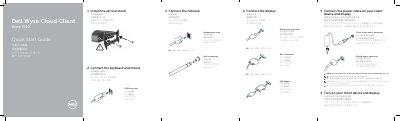
This quick start guide shows how to set up the Dell Wyse 7010 cloud client, including installing the vertical stand, connecting USB, network, display, and power, and turning on the device.
It also identifies front and rear ports and lists features, product support resources, and regulatory information.
| Network port | 10/100/1000 Base-T |
|---|---|
| USB 2.0 ports | 2x (front) and 2x (rear) |
| SuperSpeed USB 3.0 ports | 2x |
| DVI-I port | 1x DVI-D / 1x VGA |
| Display Port connector | 1x |
| Power adapter input | +19V |
| Serial ports | 2x (optional) |
| PS/2 port | Keyboard-only (optional) |
| Parallel port | Optional |
| Wireless antenna ports | 2x (optional) |
| Rated voltage | 100-240 V AC |
| Rated frequency | 50-60 Hz |
| Rated input current | 1.6 A |
It is ready when the client device activity light goes off.
Product support and manuals are available at dell.com/support and dell.com/support/manuals.
The regulatory model is Zx0.
The device uses a +19V power adapter input.