
Dell Inspiron 20 3000 Series Quick Start Guide.
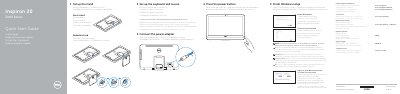
This quick start guide shows how to set up the keyboard and mouse, connect the power adapter, install the stand, and start the computer. It also covers finishing Windows setup, enabling Dell updates, connecting to a network, and signing in to a Microsoft account.
The guide includes a labeled features diagram, SupportAssist and registration information, Dell Help & Support contacts, and instructions for locating Dell apps and creating recovery media.
| USB 3.0 ports | 2 |
|---|---|
| USB 2.0 ports | 2 |
| Optical drive | Optional |
| Computer model | Inspiron 20-3059 |
| Regulatory model | W15B |
In Windows search, type Recovery, click Create a recovery media, and follow the instructions on the screen.
It has 2 USB 3.0 ports.
The optical drive is optional.
The computer model is Inspiron 20-3059.