
Dell Chromebook 11 3189 Quick Start Guide

The Chromebook 11 3189 Quick Start Guide provides instructions on how to use the device.
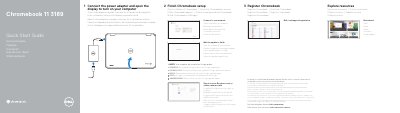

Dell Chromebook 11 3189 Quick Start Guide - cover page
Brand
DELL
Category
Laptops
Document type
Quick Start Guide
Language
English
Pages
2
File format
PDF
File size
627 KB
Published
24 November, 2023
Updated
24 November, 2023
MD5 checksum
AA6C0744CAEEB18B3FDD600549D18EA4

About this manual

The Dell Chromebook 11 3189 Quick Start Guide provides essential instructions for setting up the device, including connecting to a network and signing into a Google account.

It also includes a detailed map of the hardware features, identifying ports, buttons, and indicator lights on the computer.

What's inside

  • Register Chromebook
  • Finish Chromebook setup
  • Features

Specifications

USB PortsUSB 3.0

Frequently asked questions

How do I turn on the computer?

Connect the power adapter and open the display to turn on the computer.

What ports does this Chromebook have?

USB 3.0 ports, HDMI port, and microSD card reader.

What is required to turn on the computer?

Connect the power adapter and open the display.

Download PDF (627 KB)

More DELL Manuals


View all DELL manuals →