
The document describes how to use a Dell computer.
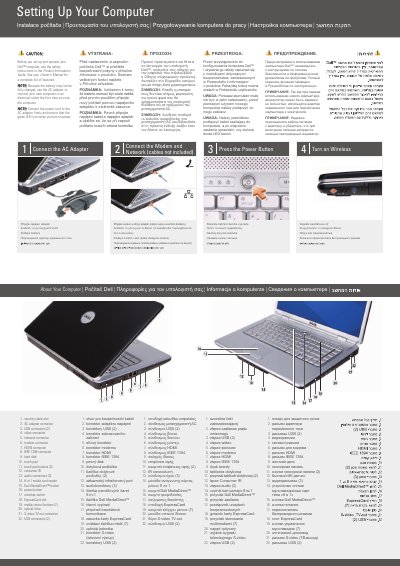
This two-page guide helps set up a Dell Inspiron 1525/1526 computer. It shows connecting the AC adapter, modem, and network; pressing the power button; and turning on wireless, with labeled views of the computer's connectors and controls.
It includes safety cautions, notes about charging the battery on first use, and directions to the Owner's Manual and Dell support for more information. Wireless networking is described as optional.
| Wireless networking | Optional |
|---|---|
| Media card reader | 8-in-1 |
| Audio connectors | 3 |
Use the AC adapter to connect the new computer to an electrical outlet because the battery may not be fully charged.
See the Owner's Manual; if no printed copy is available, click the Documentation and Support icon on the desktop or go to support.dell.com.
Wireless networking is optional; see the documentation for your computer or router for setup and use information.
See the safety instructions in the Product Information Guide before setting up and operating the Dell computer.