
Dell laptop quick start guide
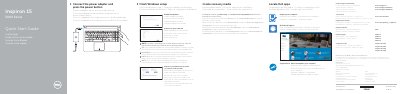
This quick start guide provides initial setup instructions for Dell Inspiron 15 5000 Series laptops, including connecting the power adapter, completing Windows setup, enabling Dell updates, connecting to a network, and signing in to a Microsoft account.
It also lists product features with a detailed diagram of ports and components, regulatory information, and shortcut key functions for audio, display, brightness, wireless, and sleep.
| Regulatory model | P51F |
|---|---|
| Regulatory type | P51F001, P51F002, P51F003, P51F005 |
| Computer models | Inspiron 15-5551, 15-5552, 15-5555, 15-5558 |
| Power adapter input voltage | 100-240 V AC |
| Power adapter input frequency | 50-60 Hz |
| Power adapter input current | 1.50 A/1.60 A/1.70 A |
| Power adapter output voltage | 19.50 V DC |
| Power adapter output current | 2.31 A/3.34 A |
| Country of origin | China |
The regulatory model is P51F.
The power adapter accepts 100-240 V AC at 50-60 Hz.
The guide covers Inspiron 15-5551, 15-5552, 15-5555, and 15-5558.
In Windows search, type Recovery, click Create a recovery media, and follow the on-screen instructions.