
This is a user manual for the iKey BT-870-TP Bluetooth keyboard. The keyboard is compatible with any Windows or Android operating system device that has built-in Bluetooth® functionality.
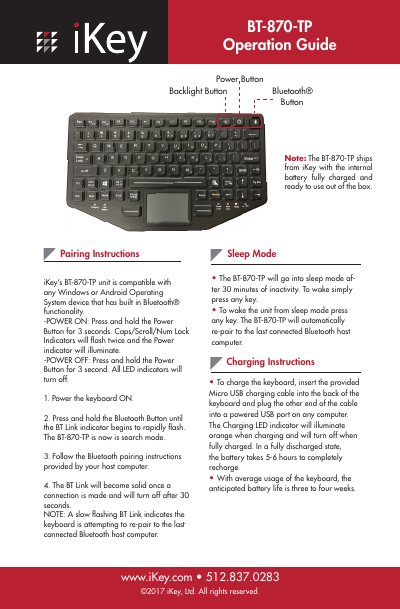
The iKey BT-870-TP is a Bluetooth keyboard compatible with Windows and Android operating system devices with built-in Bluetooth functionality. It features both wireless connectivity and the ability to operate as a wired USB keyboard via a Micro USB cable.
Key operational features include a dedicated Clean Mode for easy maintenance, a 10-key number pad with a secondary legend, and an automatic sleep mode to conserve battery life.
| Battery Recharge Time | 5-6 hours |
|---|---|
| Anticipated Battery Life | 3-4 weeks |
| Sleep Mode Timeout | 30 minutes |
Power the keyboard on, then press and hold the Bluetooth Button until the BT Link indicator flashes rapidly to enter search mode.
Press
Yes, it can switch to a wired USB keyboard by connecting it to a computer via the supplied MicroUSB cable.