
Dell 1KAIO-01 AIO Stand Setup Guide

The Dell™ OptiPlex™ All-in-One Stand is lightweight, easy to install, height adjustable, and available in a variety of colors.
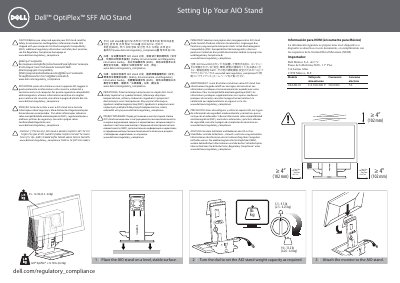

Dell 1KAIO-01 AIO Stand Setup Guide - cover page
Brand
DELL
Category
Other Computer Accessories
Document type
User Manual
Language
English
Pages
2
File format
PDF
File size
1.5 MB
Published
24 November, 2023
Updated
24 November, 2023
MD5 checksum
F2C556E657F12D6F6F273CD8B4AEAF61

About this manual

This document provides setup instructions for the Dell 1KAIO-01 All-in-One Stand. It details how to adjust the stand's weight capacity using a dial and how to properly route cables through the front slot and cable channel. The guide also covers attaching the monitor and computer chassis to the stand.

What's inside

  • Setting Up Your AIO Stand
  • Attach the monitor
  • Turn the dial
  • Connect the cables
  • Slide the computer chassis
  • Install security accessories

Specifications

Weight Capacity5.5 - 13.2 lbs (2.5 - 6.0 kg)

Frequently asked questions

How do I adjust the weight capacity of the stand?

Turn the dial to set the AIO stand weight capacity as required.

Where should I route the cables?

Connect the cables to the monitor and route them through the front slot.

Download PDF (1.5 MB)

More DELL Manuals


View all DELL manuals →