
Dell OptiPlex 3050 Micro Quick Start Guide

Dell OptiPlex 3050 Micro Desktop Quick Start Guide
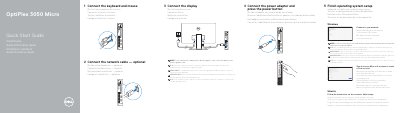

Dell OptiPlex 3050 Micro Quick Start Guide - cover page
Brand
DELL
Category
Desktops
Document type
Quick Start Guide
Language
English
Pages
2
File format
PDF
File size
453 KB
Published
24 November, 2023
Updated
24 November, 2023
MD5 checksum
B13A365567F23564A39CD0C5AA317EE6

About this manual

This document serves as a multilingual Quick Start Guide for the Dell OptiPlex 3050 Micro desktop computer. It outlines the essential steps to connect the keyboard, mouse, display, network cable, and power adapter. Users are instructed to press the power button and complete the operating system setup, with specific notes for secured wireless networks and discrete graphics cards.

What's inside

  • Connect the keyboard and mouse
  • Connect the network cable
  • Connect the display
  • Connect the power adapter
  • Finish operating system setup
  • Locate Dell apps
  • Features
Download PDF (453 KB)

More DELL Manuals


View all DELL manuals →