
Dell Latitude 11 Keyboard K12M Quick Start Guide

The Dell Latitude 11 Keyboard is a thin and light keyboard designed specifically for the Dell Latitude 11 tablet. It provides extended battery life for the tablet and has a built-in stand to hold the tablet in a comfortable typing position. The keyboard also features backlit keys for use in low-light conditions.
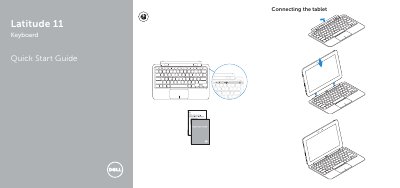

Dell Latitude 11 Keyboard K12M Quick Start Guide - cover page
Brand
DELL
Category
Other Computer Accessories
Document type
User Manual
Language
English
Pages
2
File format
PDF
File size
325 KB
Published
23 November, 2023
Updated
23 November, 2023
Model
K12M
MD5 checksum
EAE7F02DC40738CC08644D03B5D96F4F

About this manual

This document is a Quick Start Guide for the Dell Latitude 11 Keyboard, model K12M. It provides instructions on how to attach the keyboard to the tablet and how to detach it for storage or transport. The guide also references the user manual for detailed product features and safety warnings.

What's inside

  • Connecting the tablet
  • Disconnecting the tablet
  • Using the Dell mini Active Pen
  • Product support and manuals
  • Regulatory and safety

Frequently asked questions

What is the rated voltage for the Dell Latitude 11 Keyboard?

The keyboard is rated for 100-200 volts of alternating current.

What is the rated power for the Dell Latitude 11 Keyboard?

The keyboard has a rated power of 30 watts.

What is the rated input current for the Dell Latitude 11 Keyboard?

The keyboard has a rated input current of 0.9 amperes.

Download PDF (325 KB)

More DELL Manuals


View all DELL manuals →