
This document is a quick start guide for the Dell Inspiron 660s desktop computer. It introduces the features and specifications of the desktop, including the power button, hard-drive activity light, optical-drive bay, front I/O-panel door (closed), front I/O-panel door open button, optical-drive eject button, security-cable slot, power port, voltage-selector switch, 8-in-1 media-card reader, headphone port, microphone port, USB 2.0 ports (2), audio ports (3), VGA port, HDMI port, USB 3.0 ports (2), USB 2.0 ports (4), and network port.
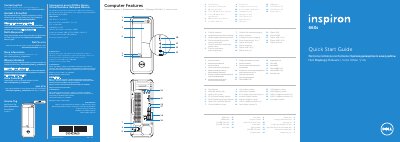
This Quick Start Guide covers the initial setup of the Dell Inspiron 660s desktop computer. It details the location of key ports and buttons on the front of the unit, such as the power button, optical drive, and various USB and audio ports. The document also provides instructions for connecting essential peripherals like the keyboard, mouse, network cable, and display.
| Model Number | D06S |
|---|---|
| Type | D06S001 |
| Input Voltage | 100–127 V CA/200–240 V CA |
| Input Frequency | 50 Hz/60 Hz |
| Current | 6 A/3 A |
| USB 3.0 Ports | 2 |
| Audio Ports | 3 |
You can contact Dell for sales, technical support, or customer service issues by going to dell.com/ContactDell.
If you ordered the computer with an optional discrete graphics card, connect the display to the connector on that card.
The regulatory model number is D06S.