
The Dell Precision 3510 Quick Start Guide provides instructions on how to use the Dell Precision 3510 laptop.
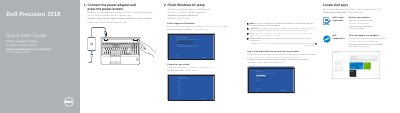
This guide helps set up a Dell Precision 3510 computer, including connecting the power adapter, locating Dell apps, registering the product, using Dell SupportAssist, finishing Windows 10 setup, enabling support and protection, connecting to a network, and signing in to a Microsoft account or creating a local account.
It also identifies the computer's external features and connectors, including optional items such as a SIM-card slot, camera, fingerprint reader, smart card readers, and Thunderbolt 3 connector, and lists Dell support, manual, and regulatory information.
| HDMI connector | 1.4 |
|---|---|
| USB 3.0 connector with PowerShare | Included |
| Thunderbolt 3 connector | Optional |
| SIM-card slot | Optional |
| Camera | Optional |
It covers connecting power, locating Dell apps, product registration, Dell SupportAssist, finishing Windows 10 setup, enabling support and protection, connecting to a network, and signing in or creating an account.
Dell lists product support at Dell.com/support and manuals at Dell.com/support/manuals.
Contact information is available at Dell.com/contactdell.
The computer model is Dell Precision 3510.