
Dell Latitude 15 5000 Series Quick Start Guide

Dell Latitude 15 5000 Series Quick Start Guide.
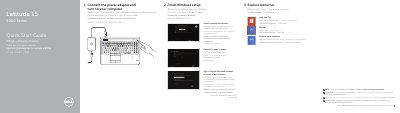

Dell Latitude 15 5000 Series Quick Start Guide - cover page
Brand
DELL
Category
Laptops
Document type
Quick Start Guide
Language
English
Pages
2
File format
PDF
File size
252 KB
Published
22 November, 2023
Updated
22 November, 2023
MD5 checksum
850AC6FC078D20DFACCF009570DAE612

About this manual

This quick start guide for the Dell Latitude 15 5000 Series laptop outlines initial setup steps such as connecting power, completing Windows setup, enabling security and updates, connecting to a network, and signing in.

It also labels the computer's features and provides support, contact, and regulatory information, including the computer model Latitude 15-E5550/5550.

What's inside

  • Connect the power adapter and turn on your computer
  • Finish Windows setup
  • Enable security and updates
  • Connect to your network
  • Sign in to your Microsoft account or create a local account
  • Explore resources
  • Features
  • Product support and manuals
  • Regulatory and safety

Frequently asked questions

Where can I find more information about this computer?

The guide refers readers to the Owner's Manual at dell.com/support/manuals.

Which features listed in the guide are optional?

Optional items include microphones, contactless smart-card reader, fingerprint reader, smart-card reader, and dock connector.

Download PDF (252 KB)

More DELL Manuals


View all DELL manuals →