
Dell Inspiron 15-3552 Laptop Quick Start Guide
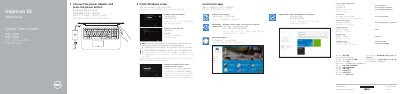
This Dell Inspiron 15-3552 laptop quick start guide provides multilingual setup and feature information. It lists steps to finish Windows setup, enable security and updates, connect to a network, sign in, and locate Dell apps.
The guide also identifies laptop features and ports, including the microphone, camera, HDMI port, USB ports, media-card reader, optical drive, and power button, and summarizes shortcut keys for audio, brightness, display, search, wireless, and sleep functions.
| Product name | Notebook computer |
|---|---|
| Rated voltage | 100-240 V AC |
| Rated frequency | 50-60 Hz |
| Rated input current | 1.30 A (45 W)/1.70 A (65 W) |
| Regulatory model | P47F |
| Regulatory type | P47F003 |
| Computer model | Inspiron 15-3552 |
The guide points to Dell.com/support and Dell.com/support/manuals.
Enter the password for wireless network access when prompted.
The regulatory label is in the battery bay.