
Inspiron 15 3000 Series Laptop Quick Start Guide.
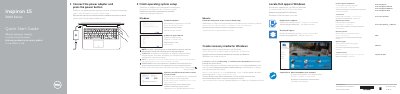
This quick start guide provides step-by-step instructions for setting up the Dell Inspiron 15 3000 Series laptop (model Inspiron 15-3552). It covers connecting the power adapter, completing the operating system setup, connecting to a network, and signing in with a Microsoft or local account.
The guide also includes an overview of the laptop's features and shortcut keys, such as volume control, display switching, brightness adjustment, and wireless toggle. It lists the locations of ports, buttons, and indicators, and provides links to Dell support, regulatory information, and recovery media creation.
| Battery | Removable battery with release latch |
|---|---|
| Camera | Integrated camera with status light |
| Microphone | Integrated microphone |
Connect the power adapter and press the power button.
The regulatory label is located in the battery bay.
In Windows search, type Recovery, click Create a recovery media, and follow the on-screen instructions.