
Dell Inspiron M4040/14-N4050 Laptop Quick Start Guide

Dell Laptop Quick Start Guide
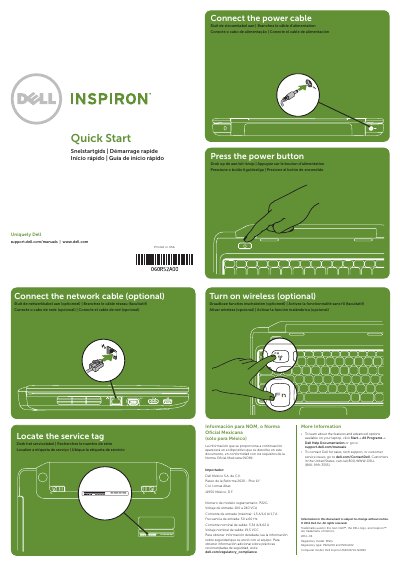

Dell Inspiron M4040/14-N4050 Laptop Quick Start Guide - cover page
Brand
DELL
Category
Laptops
Document type
Quick Start Guide
Language
English
Pages
2
File format
PDF
File size
260 KB
Published
22 November, 2023
Updated
22 November, 2023
MD5 checksum
88698FC4F70995990AB8C9770F746F50

About this manual

This Dell quick start guide covers the Inspiron M4040/14-N4050 laptop. It explains how to connect the network and power cables, locate the service tag, and turn on wireless features.

The document also includes NOM compliance information for Mexico and a numbered list of the laptop's features, such as USB 2.0 connectors, an HDMI connector, and a media card reader.

What's inside

  • Connect the network cable
  • Locate the service tag
  • NOM compliance information
  • Turn on wireless
  • Connect the power cable
  • Press the power button
  • Features

Specifications

Input voltage100 to 240 VAC
Input current maximum1.5 A/1.6 A/1.7 A
Input frequency50 to 60 Hz
Nominal output voltage19.5 VDC
Regulatory modelP22G

Frequently asked questions

Where can I find more information about the laptop features?

Click Start→ All Programs→ Dell Help Documentation or go to support.dell.com/manuals.

What is the regulatory model number?

The regulatory model number is P22G.

What is the input voltage range?

The input voltage is 100 to 240 VAC.

Download PDF (260 KB)

More DELL Manuals


View all DELL manuals →