
Dell EMC XC740xd XC Series Appliance and XC Core System Getting Started Guide

The Dell EMC XC740xd XC Series Appliance and XC Core System Getting Started Guide provides information on how to set up and use the appliance.
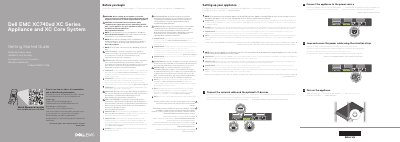

Dell EMC XC740xd XC Series Appliance and XC Core System Getting Started Guide - cover page
Brand
Dell EMC
Category
Servers Computer
Document type
User Manual
Language
English
Pages
2
File format
PDF
File size
364 KB
Published
22 November, 2023
Updated
22 November, 2023
Model
XC740xd
MD5 checksum
9F8EB3A66922FA93328FECF4C1EF377B

About this manual

This document serves as a Getting Started Guide for the Dell EMC XC740xd XC Series Appliance and the XC Core System. It covers the initial steps required to set up the appliance, including connecting network cables, optional I/O devices, and power sources. The guide emphasizes safety precautions, such as using Extended Power Performance (EPP) compliant power supply units and following the safety instructions included with the appliance.

What's inside

  • Setting up your appliance
  • Configuration
  • Connect the network cable
  • Connect the appliance to the power source
  • Turn on the appliance
  • Safety instructions
  • Operating system installation

Frequently asked questions

What power supply units must be used with the appliance?

You must use Extended Power Performance (EPP) compliant power supply units, which are indicated by an EPP label on the appliance.

What must be installed before adding non-purchased hardware or software?

You must ensure that the operating system is installed before installing any hardware or software not purchased with the appliance.

How should the power cable be secured to the appliance?

You must loop and secure the power cable using the retention strap provided with the appliance.

Download PDF (364 KB)

More Dell EMC Manuals


View all Dell EMC manuals →