
The guide describes how to connect the network cable, display, power cord, keyboard, and mouse.
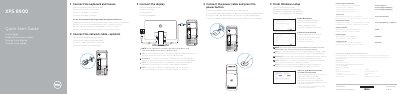
This document is a multilingual Quick Start Guide for the Dell XPS 8900 desktop computer. It provides step-by-step instructions for connecting the network cable, display, power cable, keyboard, and mouse. It also includes a specific note for users who ordered the computer with a discrete graphics card, instructing them to connect the display to that card instead of the motherboard port.
| Power Voltage | 100 V C a–2 40 V C a |
|---|---|
| Power Frequency | 50 Hz–60 Hz |
| Input Current Consumption | 8,0 a |
| Origin | China and Mexico |
| Optical Drive Bays | 2 |
| USB 3.0 Ports | 2 |
| USB 2.0 Ports | 4 |
| USB 3.0 Ports (Total) | 4 |
| Audio Ports | 6 |
| Expansion Card Slots | 4 |
Connect the display to the discrete graphics card connector.
Visit Dell.com/support or Dell.com/support/manuals.
In Windows search, type Recovery, click Create a recovery media, and follow the instructions on the screen.