
The document describes the steps to set up a Dell computer, including connecting a keyboard and mouse, connecting the monitor, connecting the telephone cable to the modem (optional), connecting the network cable to a network device (optional), connecting the computer and monitor to electrical outlets, and turning on the computer and monitor.
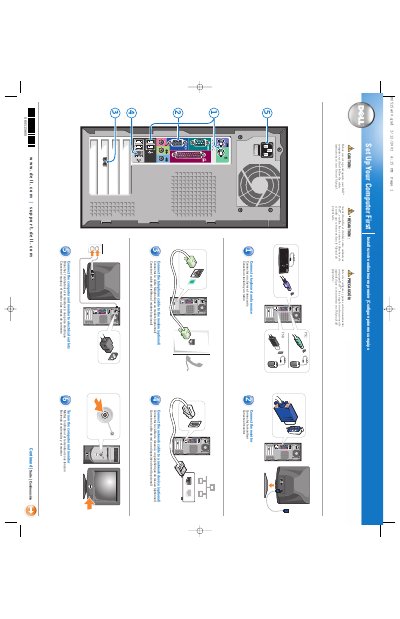
This guide provides step-by-step instructions for the initial setup of a Dell computer. It covers connecting essential peripherals such as a keyboard, mouse, monitor, telephone cable (optional), and network cable. The guide also details the process of connecting the computer and monitor to electrical outlets and turning on the system.
You must read and follow the safety instructions found in the Owner's Manual before setting up and operating the computer.
Step 5 requires connecting both the computer and the monitor to electrical outlets before turning them on.
You should refer to the Owner's Manual for additional setup instructions, including how to connect a printer.