
The Dell™ OptiPlex™ 960 is a desktop computer that comes with the following features:
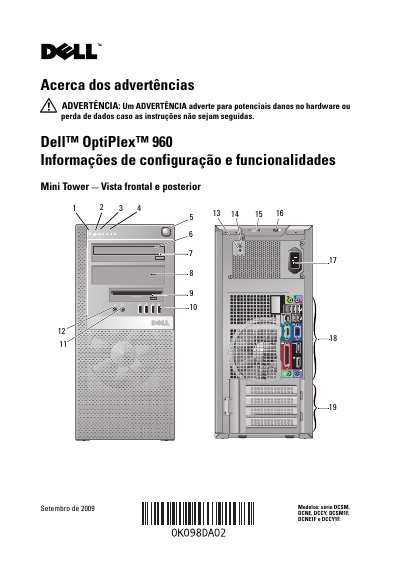
This document is a user guide for the Dell OptiPlex 960 computer system. It provides configuration information and functional details for the Mini Tower, Desktop, and Small Form Factor models. The guide includes diagrams of the front and rear views, identifying various ports, buttons, and indicator lights. This manual is written in Portuguese.
| Video Type | Integrated Intel® Graphics Media Accelerator 4500 |
|---|---|
| Windows XP Shared Memory | up to 1 GB maximum |
| Windows Vista Shared Memory | up to 1.7 GB maximum |
| Power Supply (Mini Tower) | 305 W (standard) |
| Height (Mini Tower) | 40.8 cm (16.06 inches) |
| Width (Desktop) | 10.9 cm (4.30 inches) |
| Operating Temperature | 10° to 35 °C (50° to 95 °F) |
The available models are series DCSM, DCNE, DCCY, DCSM1F, DCNE1F and DCCY1F.
There are 6 USB 2.0 ports on the rear panel for the Mini Tower model.
The Small Form Factor model consumes 3.5 A/1.8 A.