
Dell 0PY350A00 Computer Setup Guide

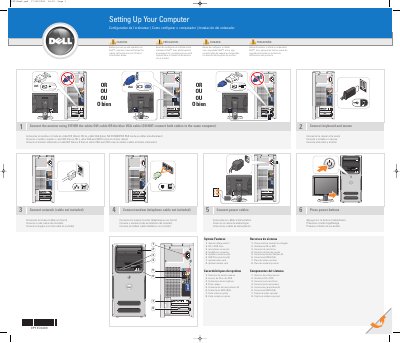
Guide to setting up a Dell computer, including connecting the keyboard and mouse, connecting to the network, connecting the modem, and connecting the power cords.

Dell 0PY350A00 Computer Setup Guide - cover page
Brand
DELL
Category
Desktops
Document type
User Manual
Language
English
Pages
2
File format
PDF
File size
2.1 MB
Published
20 November, 2023
Updated
20 November, 2023
MD5 checksum
12DFD5600721A23C7C161716855E790F

About this manual

This document provides instructions for setting up a Dell computer, including connecting peripherals such as the keyboard, mouse, network, modem, and monitor. It also details the system features, including manual voltage switching and various connectors.

What's inside

  • Connect keyboard and mouse
  • Press power buttons
  • Connect network
  • Connect modem
  • Connect power cables
  • Connect the monitor
  • System Features
  • Wireless Network (Optional)

Specifications

USB 2.0 connectors6
Speaker connectors6
Manual voltage switchIncluded

Frequently asked questions

Which cables can be used to connect the monitor?

You can use either the white DVI cable or the blue VGA cable, but do not connect both to the same computer.

Where can I find more information about using the computer?

You should consult the Owner's Manual for more information about using the computer.

Download PDF (2.1 MB)

More DELL Manuals


View all DELL manuals →