
Dell Display Manager is a Windows application used to manage a monitor or a group of monitors. It allows manual adjustment of the displayed image, assignment of automatic settings, energy management, image rotation and other features on select Dell models.
Dell Display Manager is a Windows application designed to manage a single monitor or a group of monitors. It allows users to manually adjust the displayed image, assign automatic settings, manage energy consumption, and rotate the screen on select Dell models. The application runs automatically when the system starts and provides an icon in the notification tray for quick access to settings.
No, Dell Display Manager only works with Dell branded monitors.
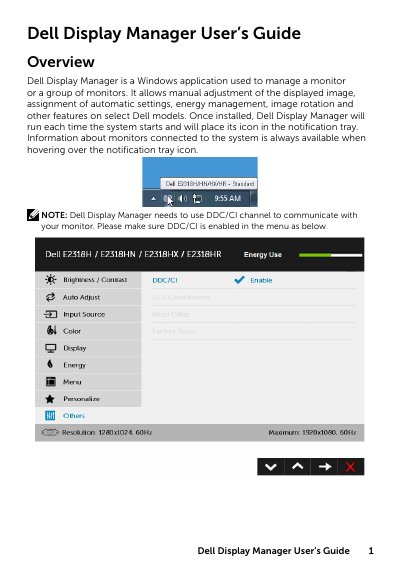
DDM needs to use the DDC/CI channel, which must be enabled in the monitor menu.
It does not work with Dell monitor models earlier than 2013, D-series monitors, or gaming monitors using Nvidia-based G-sync technology.